If you are logging into Genshin Impact this week and seeing a suspension notice—or if you’re staring at a pop-up asking for your government ID—you are not alone.
Since May 2025, HoYoverse has been rolling out strict age verification mandates for US-based players, a direct result of a settlement with the FTC regarding children’s online privacy (COPPA). The deadline for many initial verifications passed on July 18, 2025, leading to a wave of panicked searches from players currently locked out of Teyvat.
The good news? Suspension does not mean deletion. You still have time to recover your account.
The better news? If you are a privacy-conscious gamer or a new player looking to avoid these strict data-gathering mandates, there are technical workarounds.
This guide covers everything you need to know about the Genshin Impact age verification policy, how to fix the dreaded “Too Many Requests” error, and how BearVPN can help you manage your digital footprint safely.
The Critical Timeline: Are You Suspended or Deleted?
Understanding where you stand in the verification timeline is critical. HoYoverse has established a strict “Grace Period” system. If you missed the initial prompts in mid-2025, here is exactly what is happening to your account right now.
The Official Timeline
- May 20, 2025: The initial rollout began. US players (and players with US IP addresses) started receiving in-game pop-ups and emails requiring Date of Birth (DOB) confirmation.
- July 18, 2025 (The Suspension Deadline): This was the “Soft Cutoff.” Accounts that failed to provide age information by this date were placed in a Suspended State.
Status: You cannot log in. Friends cannot see you online. However, your data (characters, weapons, artifacts) is still safe on the server.
- November 2025 (Current Status): If you are reading this now, you are likely in the “Suspension Phase.” You can still unlock your account by completing the verification.
- July 20, 2026 (The Hard Deadline): This is the point of no return. If an account remains unverified by this date, HoYoverse is legally required to delete all personal data associated with it permanently. This means your account will be wiped forever.
Who Is Affected?
This policy specifically targets the United States region due to local FTC laws. However, the “blast radius” of this policy is wider than you might think:
- US Residents: Obviously affected.
- International Players on US Servers: If you play on the American (NA) server but live in Brazil, Australia, or the UK, you may still be flagged, depending on your account settings.
- VPN Users (US IPs): If you accidentally created your account while connected to a US VPN server, HoYoverse’s backend likely tagged your “Home Region” as the USA, subjecting you to US laws regardless of where you actually live.
How to Verify Your Age (The Official Way)
If your main account is currently suspended, the only way to get it back is to comply with the verification request. A VPN cannot unsuspend an account that is already flagged.
Here is the safest way to handle the process:
1. The “Neutral” Verification (Date of Birth)
For 90% of players, HoYoverse only asks for a Date of Birth (DOB).
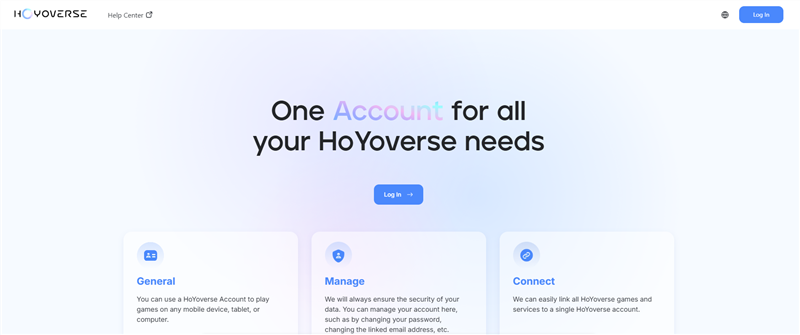
- Log in to the HoYoverse Account Center.
- Look for the red notification banner regarding “Account Security” or “Age Verification.”
- Enter your DOB accurately.
Note: If you are over 18, the restrictions are lifted immediately. If you are 13-17, you may be placed in a “Minor” status with spending limits on Genesis Crystals.
2. The “High-Risk” Verification (ID Scan)
If the system flags your account as suspicious—or if you previously entered a birthday that would make you under 13—you may be asked for Identity Verification. This typically involves uploading a photo of a driver’s license or passport.
⚠️ Privacy Warning: If you must upload a government ID, never do this over public WiFi (cafes, schools, dorms). Public networks are hunting grounds for data thieves.
- The Fix: Launch BearVPN on your phone or PC before uploading any documents. Our AES-256 encryption creates a secure tunnel, ensuring that your ID scans travel directly to HoYoverse’s encrypted servers without being intercepted by third-party snoopers on your local network.
Can You Bypass Genshin Age Verification with a VPN?
This is the most common question we get: “Can I use a VPN to skip the age check?”
The answer is nuanced: No for existing accounts, but YES for new ones.
Scenario A: The Existing US Account
If you have an AR58 account that you created in the US (or selected “United States” as your region years ago), that region is hard-locked on the server side. Changing your IP address to Japan or Germany with a VPN will not remove the verification prompt. HoYoverse looks at your account origin, not just your current location.
Scenario B: The “Reroll” / New Account Strategy
If you are starting fresh—or if you are fed up with US data laws and want to create a privacy-friendly alt account—BearVPN is your essential tool.
HoYoverse applies laws based on where you are when you create the account. By using a VPN, you can digitally “reside” in a country with strong privacy laws but less intrusive gaming verification requirements.
The Best “Safe Harbor” Regions for 2025
Based on our testing in late 2025, the following regions have the best balance of privacy and ease of access (requiring only a simple DOB, no ID scans):
- Canada: While Canada has strict privacy laws, they generally do not require the invasive ID scans that the US (COPPA) or South Korea (verified phone numbers) do.
- Switzerland: Excellent digital privacy laws without the heavy-handed gaming restrictions found in the EU or US.
Step-by-Step: Creating a “Bypass” Account
- Clean Slate: Clear your browser cookies and cache. If you are on mobile, it is often best to uninstall and reinstall the Genshin app to clear local data.
- Connect to BearVPN: Open BearVPN and connect to a server in Montreal (Canada) or Zurich (Switzerland).
- Verify IP: Visit a site like WhatIsMyIP.com to confirm your location has changed.
- Register: Go to the HoYoverse official site and create a new account. When the sign-up form asks for “Country/Region,” ensure it matches your VPN location (e.g., select Canada).
- Result: You will likely be asked for a Date of Birth, but you will avoid the strict “US Legal Compliance” flags that trigger potential suspensions later.
Related article: How to Bypass Roblox Age Verification >
Troubleshooting: Fixing the “Too Many Requests” Error
One of the most frustrating side effects of this verification wave is the infamous error message:
“Too many requests. Please try again later.”
This often happens when players frantically try to log in to check their status, or when multiple people in a household (dorm/shared WiFi) try to verify on the same network.
What is happening? HoYoverse has flagged your IP address for “spamming” their login server. This is a temporary soft-ban on your IP, not your account.
How to Fix It Instantly with BearVPN
Waiting for a temporary ban to lift can take an agonizing 24 to 48 hours. With BearVPN, you don’t have to wait; you can leverage a massive network of over 2,000 high-speed server lines across 50+ global regions to fix the issue in under 10 seconds.
Whether you are playing on Windows, iOS, Android, or macOS, follow these steps to bypass the block:
Step 1. Close the Game/Browser: Fully exit the game instance or browser window to clear the active session.
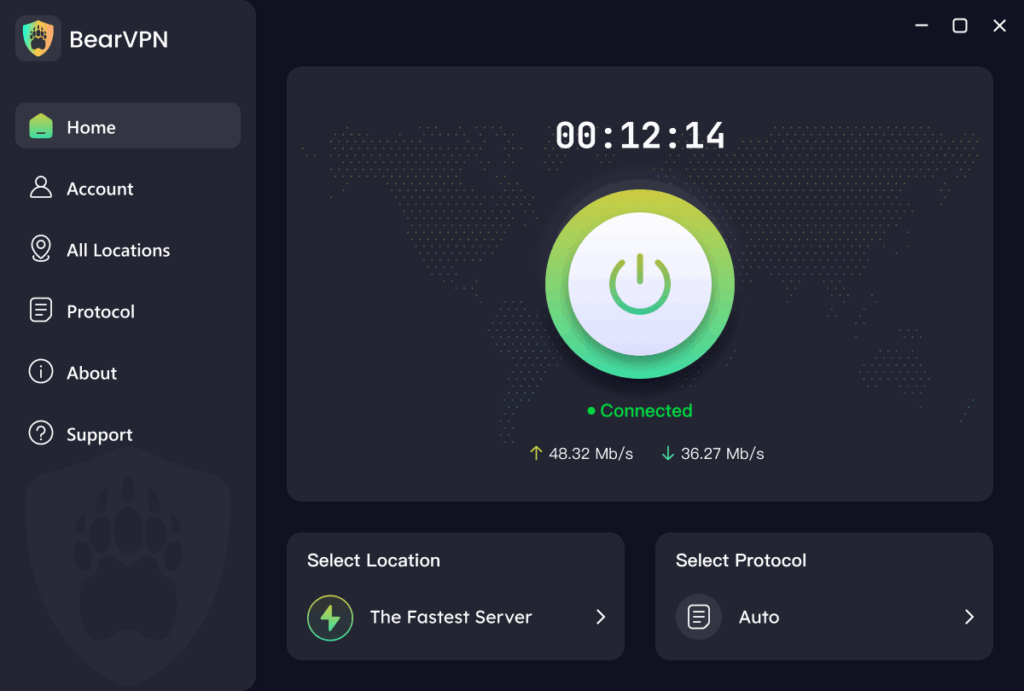
Step 2. Open BearVPN: Launch the client. BearVPN’s interface is designed for one-click connections, so you don’t need a technical background to navigate it.
Step 3. Switch Servers: If you are already connected, disconnect. Choose a different city or server node from the list. With 2,000+ options, you are guaranteed to find a fresh “clean” IP address instantly.
Step 4. Reconnect: Hit the connect button. BearVPN uses intelligent routing technology and provides unlimited bandwidth, ensuring that your new connection is stable and fast enough for lag-free gaming.
Step 5. Log In: Re-open the game. HoYoverse will detect a completely new connection from a different location, bypassing the “Too Many Requests” error. Meanwhile, BearVPN’s industry-leading encryption and zero-log policy keep your account details and browsing history private.
Why Privacy Matters: The “Data Leak” Context
Why is this happening now? In 2024 and early 2025, the FTC cracked down heavily on gaming companies for mishandling the data of minors. HoYoverse’s strict verification is a compliance move to avoid further fines.
However, for the average user, handing over personal data to a gaming giant is always a calculated risk. Data breaches in the gaming industry are common.
How BearVPN Protects Genshin Players
Beyond just bypassing region locks, using BearVPN while gaming offers three layers of protection:
- DDoS Protection: In Co-Op mode, malicious players can sometimes sniff your IP address to launch DDoS attacks, disconnecting you from the game. BearVPN hides your real IP, acting as a shield.
- Throttling Prevention: ISPs often throttle high-bandwidth activities like downloading huge Genshin patches (now frequently 40GB+). BearVPN encrypts your traffic, preventing your ISP from seeing what you are downloading, ensuring you get full speeds.
- Public WiFi Security: As mentioned, if you play Genshin on mobile at school or coffee shops, your login tokens are vulnerable. BearVPN secures that connection.
Frequently Asked Questions
Q: If I use a VPN to play on a different server, will I get banned?
A: Generally, no. HoYoverse does not ban users simply for using a VPN to reduce lag or improve security. However, do not hop regions rapidly (e.g., connecting to Japan, then the UK, then the US in 5 minutes) while making purchases, as this can trigger “Fraud Protection” locks on your payment ability.
Q: I am under 13. Can I just use a VPN to fake my location?
A: We do not recommend this. If you are legally a minor, the safest route is to have a parent or guardian help you verify the account. Faking your age on a platform that now faces legal scrutiny puts your account at risk of permanent deletion if they ever demand secondary verification.
Q: Does this verification affect Honkai: Star Rail or Zenless Zone Zero?
A: Yes. Your “HoYoverse Account” is a universal ID. If your Genshin account is suspended due to lack of age verification, you will likely find yourself locked out of Star Rail and ZZZ as well, as they share the same login backend.
Q: I moved out of the US, but my account is still asking for US verification. Why?
A: HoYoverse locks your account’s “Home Region” based on where it was created. Even if you move to Europe, a US-created account is subject to US laws. You must complete the verification. However, you can contact HoYoverse Customer Support (support_os@hoyoverse.com) with proof of your new residence to request a region change, though this process is slow.
Conclusion
The “Great Verification Panic” of 2025 is certainly a headache, but it doesn’t have to be “Game Over” for your adventures in Teyvat. Whether you need to verify a suspended account through official channels, rotate your IP to bypass stubborn errors, or start fresh in a privacy-friendly region like Canada to avoid intrusive data grabs, BearVPN provides the tools you need to take charge. Don’t let a legal form halt your journey; secure your digital privacy and get back to it.