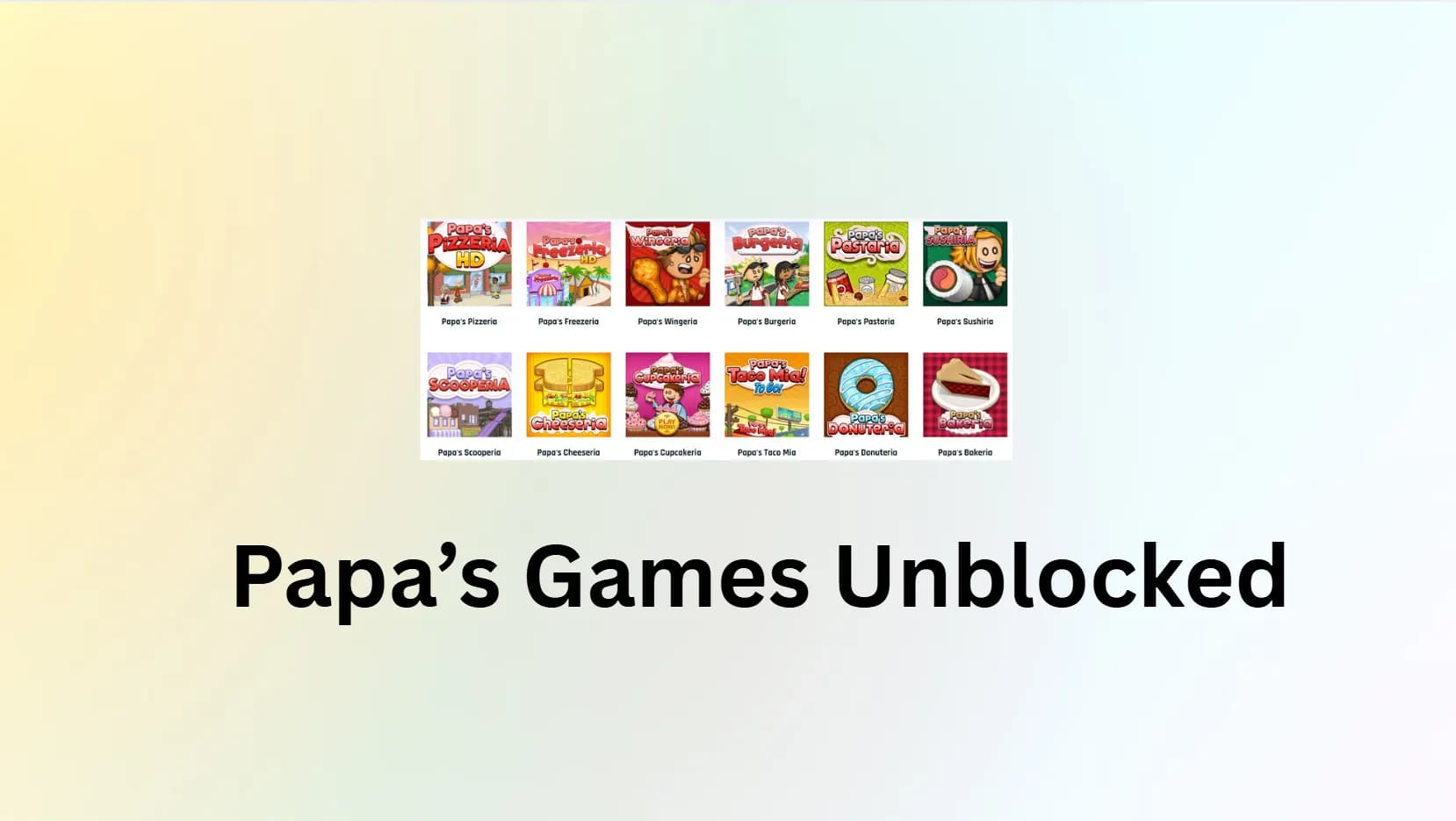
If you grew up in the golden age of internet gaming, you know the specific anxiety of trying to sneak in a round of Papa’s Pizzeria during computer lab. But the landscape of browser gaming changed forever on December 31, 2020, when Adobe Flash Player was officially discontinued. For millions of fans, the “Gameria” series seemed to vanish overnight.
Today, the challenge has shifted. It’s no longer just about finding a site that hosts the games; it’s about navigating school firewalls, bypassing content filters, and ensuring your connection is secure. This guide is your definitive resource for playing, downloading, and mastering Papa’s Games unblocked in 2026.
The Papa’s Games Arcade: HTML5 vs. Emulation
To play these games efficiently, especially on low-end school devices, you must understand the technology running them. Not all unblocked games are created equal.
Tier 1: The Essentials (HTML5 Optimized)
These titles have been officially ported or rebuilt for modern browsers. They run natively, meaning they do not require a heavy emulator. These are the best options for older Chromebooks or slow school WiFi.
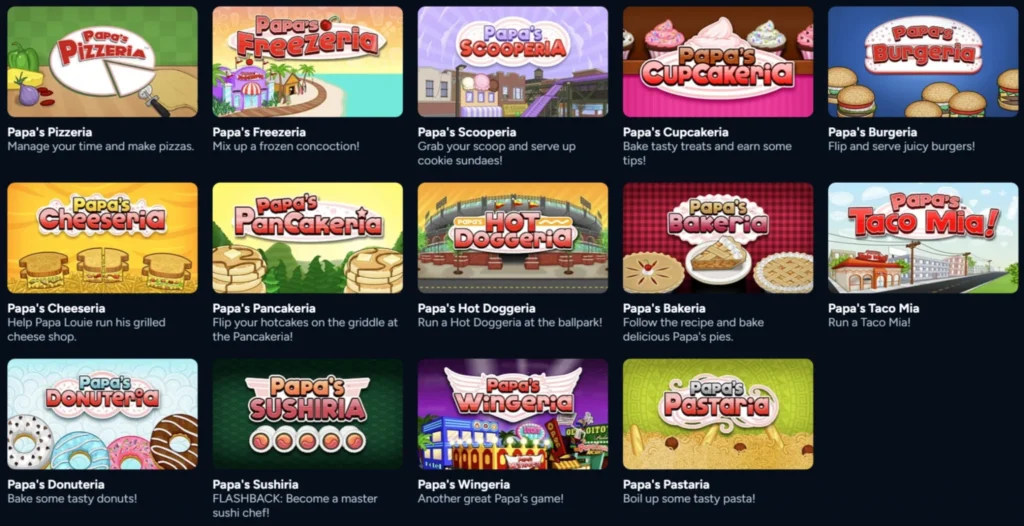
- Papa’s Freezeria: The undisputed fan favorite. Managing the Sundae Station on Calypso Island remains the peak of the series.
- Papa’s Pizzeria: The original classic that started it all.
- Papa’s Bakeria: A complex but rewarding entry in the series, now fully playable without Flash.
- Papa’s Burgeria: Features the iconic “stacking” mechanic that challenges your precision.
Tier 2: The Classics (Ruffle Emulated)
The majority of the Papa Louie catalog relies on Ruffle, an open-source Flash emulator written in Rust. These games run inside your browser by translating old Flash code into modern web standards. Note: These may experience slight lag on devices with weak processors (like school-issued laptops) because the emulation process is CPU-intensive.
- Papa’s Scooperia: The final Flash game released (2018). Famous for its “Cookie Dough” and “Baking” duality.
- Papa’s Sushiria: Visually distinct with a garden setting and bubble tea mechanics.
- Papa’s Wingeria: Set in Starlight City; known for its satisfying sauce-tossing mechanics.
- Papa’s Taco Mia: A straightforward, nostalgic entry, though simpler than later titles.
- Papa’s Pastaria: Introduce the dining room server mechanic, adding a layer of complexity.
Where to Play Papa’s Games Unblocked: The Verified List
To play these games efficiently, you need to know which version your device can handle. We have categorized the best locations to play based on safety and accessibility.
1. The Official “Safe” Portals
If you are on a personal network, stick to these legitimate sites. They host the official HTML5 ports and Ruffle emulations without malware risks.
- CoolMathGames: The gold standard. They have converted almost the entire library to play natively without Flash.
- CrazyGames: Excellent for finding “Tier 2” games like Papa’s Scooperia running via emulator.
- Poki: Features a clean interface perfect for mobile web browsers.
2. The “Unblocked” Mirrors
When official sites are blocked by administrators (e.g., GoGuardian or Securly), you need “mirror” sites that fly under the radar.
Method 1: The “Google Sites” Loophole
This is the most popular method for students. Because schools use Google Workspace for education (Classroom, Docs, Drive), they cannot block the sites.google.com domain without breaking their own infrastructure.
- How it works: Savvy users upload the game files to a personal Google Site. Because the main domain is trusted by the firewall, the game loads.
- Keywords to use: Search for papas games unblocked google sites, unblocked games 66 ez, or unblocked games 76.
- The Risk: These sites are frequently taken down by Google for policy violations or manually blocked by IT admins in a game of “Whack-a-Mole”. You may need to try several “mirror” links before finding one that works.
Method 2: GitHub Repositories
Similar to Google Sites, github.io domains are often whitelisted because they are used for computer science classes and coding projects.
- How it works: Developers host the Ruffle emulator and game .swf files on a GitHub Pages repository.
- Pros: Usually cleaner, faster, and have fewer ads than the spammy aggregator sites.
- Cons: Can be harder to find without specific search queries like papas games unblocked github io.
Method 3: The Mobile Hotspot Trick (Hardware Bypass)
If your school’s network filter (like Securly or GoGuardian) is extremely aggressive, no website will work.
- The Fix: Disconnect your Chromebook or laptop from the school WiFi. Enable the “Personal Hotspot” on your phone and connect your computer to that. This bypasses the school’s network restrictions entirely, allowing you to access official sites like CoolMathGames or CrazyGames.
- Warning: This consumes mobile data. Ruffle games cache the data, so once the game loads, it uses very little data, but the initial load can be heavy.
How to Play Safely & Unblocked with BearVPN
School and workplace networks are notoriously strict, often blocking game sites to save bandwidth. Furthermore, using “unblocked” mirror sites can sometimes expose you to unsecure connections.
To play safely, bypass filters, and reduce lag, we recommend using BearVPN. Unlike generic proxies that slow down your game, BearVPN uses specific technologies designed to maintain high speeds—critical for time-management games like Papa’s Freezeria.
Why use BearVPN for gaming?
1. Faster, smoother gameplay
BearVPN routes your traffic through high-speed servers, reducing lag and keeping your games running smoothly even on busy school Wi-Fi.
2. Bypass game blocks at school
Connect to a different region to access blocked gaming sites and apps without restrictions.
3. Stay private while you play
BearVPN hides your IP address and encrypts your connection, keeping your gaming activity safe from school networks and prying eyes.
Step-by-Step Guide:
Step 1. Download and Connect: Open the BearVPN app on your device.
Step 2. Select a Server: For the best speed, choose a server location geographically close to you (e.g., New York).
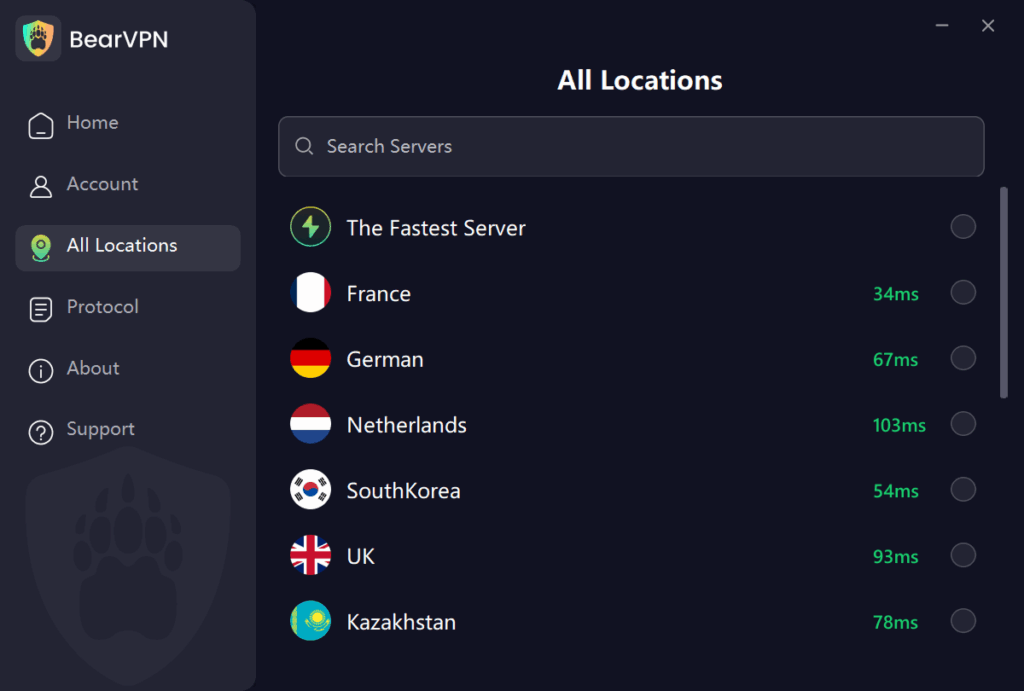
Step 3. Bypass the Block: Once connected, the school filter will no longer see that you are visiting a “Gaming” category site. Navigate to your preferred game site (like CoolMathGames), and it should load instantly.
How to Download Papa’s Games (Offline & App Versions)
If you want to escape the browser entirely or play on the go, downloading the games is the best option.
Method 1: Mobile Apps (The “To Go!” Series)
Flipline Studios has remastered the games for iOS and Android. These are paid apps but are optimized for touchscreens.
- “To Go!” Versions: Designed specifically for small phone screens. (e.g., Papa’s Burgeria To Go!).
- “HD” Versions: Designed for tablets.
Note: Newer releases like Papa’s Cluckeria are universal apps, meaning one purchase works on both phones and tablets.
Method 2: PC & Mac (Steam Deluxe Versions)
For the ultimate experience, Papa’s Freezeria Deluxe was released on Steam in 2023.
- Why buy it? It features 60 FPS gameplay, HD graphics, Steam Cloud Saves, and zero ads. It removes the risk of losing your save file when clearing browser cache.
Method 3: Flashpoint (The Free Preservation Project)
For PC users who want the original Flash experience offline:
- Flashpoint Infinity: This is a massive web game preservation project. Download the launcher (about 700MB), search for “Papa Louie,” and you can play every single Flash game offline, perfectly emulated, for free.
Troubleshooting: Lag, Black Screens, and Glitches
Playing 15-year-old games on modern software isn’t always smooth. Here is how to fix the most common issues.
1. Fixing Ruffle Lag on Chromebooks
If Papa’s Scooperia is running in slow motion, it’s likely because your device’s CPU can’t handle the WebAssembly translation fast enough.
- The Fix: Right-click on the game screen. If you see a Ruffle menu, try to find “Quality” and set it to “Low.”
- Browser Tweak: Go to your Chrome settings and toggle “Hardware Acceleration.” Depending on your specific Chromebook model, turning this off can sometimes actually improve emulator performance.
2. The “Grey Screen of Death”
If the game loads to a grey or black screen and never starts:
- Cause: This is usually a WebGL crash or a “cache conflict” where your browser is trying to load an old, broken version of the page.
- The Fix: Perform a “Hard Refresh” by pressing Ctrl + Shift + R (Windows/Chromebook) or Cmd + Shift + R (Mac). This forces the browser to re-download the latest emulator script.
The Critical Guide to Save Files
The number one complaint from players of unblocked games is losing progress. You spend weeks building your lobby in Papa’s Cheeseria, only to have it vanish.
Where are saves stored?
Ruffle and HTML5 games save your progress in your browser’s Local Storage or Cache (specifically as .sol files in a virtualized folder).
How to prevent data loss:
- NEVER Clear History/Cache: If you clear your browser history or “cookies and site data,” your save file is deleted instantly.
- Stick to One URL: Save data is linked to the specific website address. If you play on unblocked-games-66.com on Monday, and math-games-77.com on Tuesday, your save will not transfer, even if it’s the same game.
- Backup Manually: For advanced users, scripts like “Papa’s Save Manager” (available for extensions like Tampermonkey) allow you to export your save file as a .psm or .sol file to your computer. You can then import this file later if the website gets blocked.
Safety & Security: Avoiding Malware
The “unblocked games” ecosystem is filled with bad actors. Hackers often set up fake sites to distribute malware to students.
- The “Fake Download” Button: Many sites have ads that look exactly like “Play” buttons. Never download an .exe file to play a Papa’s game unless it is from Steam or Flashpoint.
- HTTPS is Mandatory: Look for the lock icon in the address bar. If a site is “Not Secure,” leave immediately.
- Use Protection: As mentioned, using BearVPN adds a layer of encryption that prevents malicious public WiFi networks from injecting ads or tracking your data.
Best Alternatives to Papa’s Games
If you’ve mastered every rank in Papa’s Freezeria and need a new challenge, try these top-rated cooking and time-management alternatives available on unblocked sites.
| Game Title | Gameplay Style | Why It’s a Great Alternative |
| Penguin Diner 2 | Restaurant Sim | Similar “seat, serve, collect” mechanics but with cute penguins. A classic of the genre. |
| Cooking Simulator | 3D Simulation | A more realistic, chaotic take on cooking. Available on mobile and Steam. |
| Good Pizza, Great Pizza | Narrative Cooking | Focuses more on the artistic side of pizza making and customer stories. Very relaxing. |
| Diner Dash | Time Management | The game that defined the genre. Faster paced and more stressful than Papa’s games. |
| Jacksmith | Crafting/Strategy | Also made by Flipline Studios! Instead of cooking food, you craft swords for soldiers. Same art style, different loop. |
Conclusion
The “Gameria” series has survived the death of Flash, aggressive school filters, and the changing landscape of the internet. Whether you are sneaking in a quick shift at Papa’s Pizzeria during study hall or reliving your childhood memories on a gaming PC, the options to play Papa’s games unblocked are better than ever.
By sticking to verified HTML5 ports, using safe emulators like Ruffle, or securing your connection with BearVPN, you can bypass the frustration of broken links and “Page Blocked” screens. Remember that the “cat and mouse” game with school administrators is constant; what works today might be blocked tomorrow. That is why having a toolkit—official apps, offline backups, and VPNs—is the only way to ensure you never lose your progress.
Bookmark this guide as your headquarters for all things Papa Louie. Keep your stations clean, watch those tickets, and happy cooking!
FAQ
Can I play Papa’s Games without Flash Player in 2025?
Yes. You do not need to install Flash. Modern sites use the Ruffle emulator or HTML5 ports to run the games automatically.
Why is the game blocked at my school?
Schools use content filters to block domains categorized as “Gaming” to preserve bandwidth and focus. Using a Google Site mirror or BearVPN can usually bypass this.
Is it illegal to use a VPN for school games?
No, it is not illegal. However, it may violate your school’s “Acceptable Use Policy” (AUP). Use discretion.
Which Papa’s game is the best to start with?
Papa’s Freezeria is generally considered the best entry point due to its satisfying mechanics. Papa’s Burgeria is the simplest if you are completely new to the genre.