Key Takeaways: Solving the “Proxy Detected” Error
- Quick Summary: Netflix has intensified its “arms race” against VPNs in 2026, specifically targeting shared data center IP ranges used by major providers.
- The Problem: Most standard VPN IPs are flagged as “non-residential,” leading to the infamous “Streaming Error: You seem to be using an unblocker or proxy” message.
- Reddit Insight: Recent community reports highlight that console updates (like PS5) are now more aggressive at detecting router-level VPNs than desktop applications.
- Immediate Fix: Switch to a “Streaming Optimized” node, disable IPv6, or try a specialized alternative like BearVPN if Nord’s IP ranges remain flagged.
- Long-term Solution: Moving toward Residential IP strategies or specialized stealth protocols like SLProxy is the most reliable way to stay ahead of Netflix’s detection.
In 2026, “NordVPN Netflix not working” has become one of the most searched streaming problems online — and for good reason. Across Reddit and tech forums, users report that a single Netflix app update can instantly break a setup that worked perfectly the day before. One r/nordvpn user summed it up bluntly: “I updated the app… and now every time I try, I get the proxy detected message.”
What’s happening behind the scenes is a quiet escalation. Netflix is no longer just blocking VPN IPs — it’s detecting behavior, console traffic, DNS leaks, and even applying “shadow blocks” that only show Netflix Originals while hiding region-locked content. Desktop apps may still work, but router-level VPNs and consoles are now under far stricter scrutiny.
In this guide, we’ll break down why NordVPN suddenly fails on Netflix in 2026, what real users are experiencing, and — more importantly — the 7 proven fixes that still work today, including advanced stealth solutions designed specifically for high-detection streaming environments.
Why is Netflix Blocking NordVPN? (The “Cat-and-Mouse” Game)
In 2026, the battle between streaming giants and VPN providers has reached a fever pitch. While NordVPN remains a powerhouse in the industry, users frequently encounter the dreaded proxy error. To understand how to fix it, we must first understand how Netflix knows you are using a VPN.
1. IP Flagging and the “Burned” IP Problem
Netflix does not use a single “high-tech” detection system; instead, it relies on massive databases of known VPN exit nodes. Large providers like NordVPN often use data center IPs—addresses assigned to commercial servers rather than residential homes. When hundreds or thousands of users connect to Netflix from a single IP address simultaneously, it triggers a “high-traffic” flag, causing that IP to be “burned” or blacklisted.
2. DNS Leaks on Consoles and Smart TVs
One of the most persistent issues in 2026 is the DNS leak. Even if your VPN app says you are in New York, your device might be sending DNS requests through your local ISP. Reddit discussions highlight that Netflix apps on PS5 and Smart TVs often bypass router-level VPN settings to “see” your true location. This is because these apps are hard-coded to use specific DNS servers like Google (8.8.8.8) or the ISP’s defaults.
3. Behavioral Detection
Modern detection methods have evolved beyond simple IP lists. Services now use behavioral detection, monitoring internet traffic patterns to identify IPs that “mimic” VPN behavior—even if they are self-hosted or dedicated. In early 2026, global VPN usage stabilized at approximately 23.1% of internet users, making VPN traffic a standard part of global web patterns that Netflix actively monitors.
7 Ways to Fix NordVPN Netflix Errors
If you are staring at a “Proxy Detected” screen, follow these steps to restore your stream:
1. Switch Servers Immediately
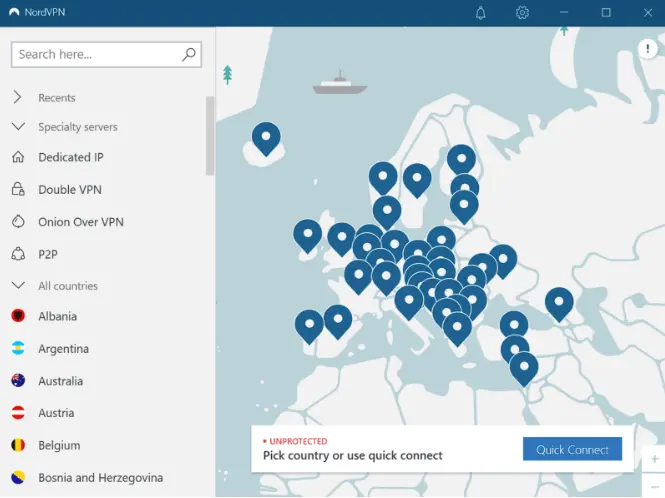
This is the most effective “quick fix.” NordVPN has over 6,000 servers; if one is flagged, another might not be. Toggle between 3-5 different cities. For the US, try switching from New York to Chicago or Los Angeles.
2. Clear Netflix App Cache
Consoles and Smart TVs have “location memory.” Even after you change your VPN server, the Netflix app may still think you are in your actual region.
- Android/Fire TV: Go to Settings > Apps > Netflix > Clear Cache & Force Stop.
- iOS: Reinstall the app entirely, as iOS does not allow manual cache clearing for Netflix.
3. Disable IPv6 to Avoid Leaks
In 2026, many ISPs have fully migrated to IPv6, but not all VPN protocols handle it perfectly. If your device leaks IPv6 data, Netflix will see your real location alongside the VPN’s IPv4 address. Disable IPv6 in your Windows or Mac network settings to ensure all traffic goes through the encrypted tunnel.
4. Use the Browser Extension
Sometimes, system-wide apps are easier for Netflix to detect. Users have found that the NordVPN Browser Extension (for Chrome/Firefox) uses different proxying methods that can sometimes bypass blocks that the main app cannot.
5. Check Your DNS Settings
Ensure you are using NordVPN’s private DNS servers. If you are on a console, you may need to manually set your DNS to Nord’s specific addresses (usually found in their help center) to prevent your ISP from “leaking” your real location.
6. Casting or AirPlay
If the Netflix app on your Smart TV is blocked, but the VPN works on your phone, try casting the content. Often, the mobile app has better obfuscation, and by casting, you bypass the TV app’s stricter detection protocols.
7. Contact Support for “Stealth” Servers
NordVPN’s support team often knows which specific server numbers are currently working with Netflix US or UK. Ask their 24/7 live chat for “obfuscated servers currently optimized for streaming”.
How to Access 30+ Netflix Libraries with BearVPN (Step-by-Step)
If you are tired of the constant server-switching and “cat-and-mouse” games with Nord, it may be time to switch to a tool built specifically for high-restriction environments. BearVPN is designed to bypass the most aggressive detection systems by using proprietary protocols that mimic standard web traffic.
Why choose BearVPN? Unlike traditional VPNs that use standard OpenVPN or WireGuard signatures, BearVPN utilizes SLProxy and SCProxy to ensure your connection looks like regular HTTPS traffic.
Step 1: Download and Install BearVPN
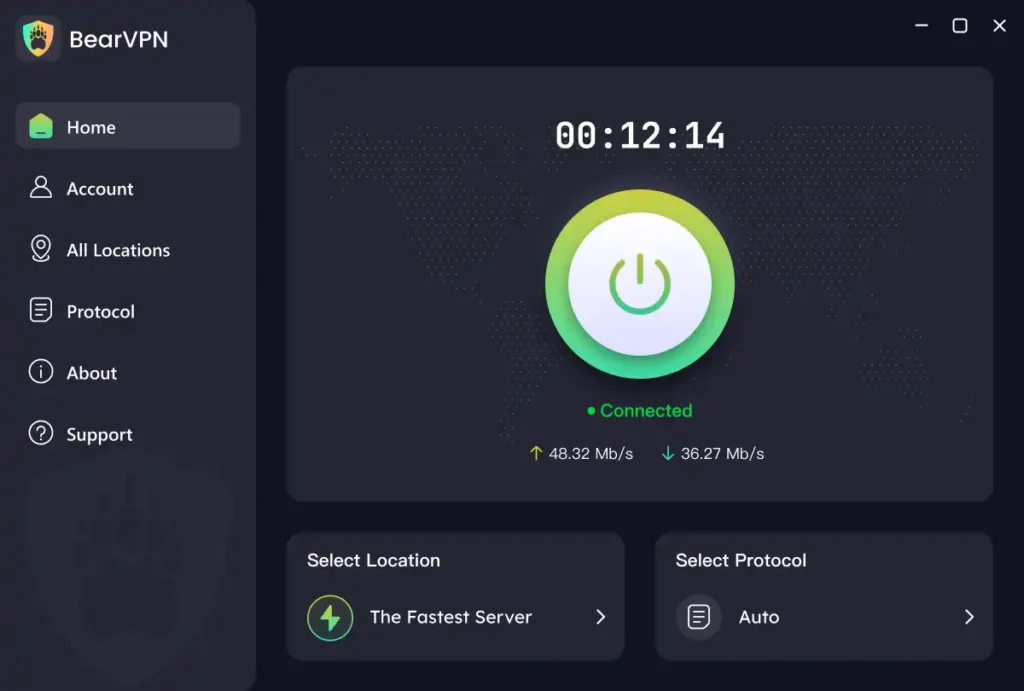
Visit the BearVPN Download Page and install the app on your device. A single account supports 10 simultaneous connections, allowing you to protect your phone, laptop, and gaming consoles all at once.
Step 2: Connect to a Streaming-Optimized Node
Open the BearVPN client and select a server in your target region (e.g., United States). Ensure you have enabled the SCProxy protocol in the settings. This protocol is specifically designed to bypass Deep Packet Inspection (DPI) used by platforms like Netflix and YouTube.
Step 3: Launch Netflix and Enjoy 4K
Once the BearVPN interface shows a “Connected” status with a new IP address, launch Netflix. BearVPN maintains a 4K-ready bandwidth reserve to ensure you can stream in Ultra HD without buffering.
Why BearVPN is the Superior Choice for Streaming in 2026
| Feature | Standard VPN (e.g., Nord) | BearVPN |
| Price | Typically $3.39 – $12.99/mo | Low as $1.67/mo |
| Protocols | OpenVPN, WireGuard | SLProxy, SCProxy (Stealth) |
| Device Limit | 6 – 10 devices | 10 devices (Family Ready) |
| Netflix Success | Highly variable | Optimized 4K Nodes |
| Focus | General Security | Bypassing High Censorship |
Specialized “Anti-Detection” Technology
BearVPN’s core value lies in its ability to operate in high-censorship regions like MENA and Southeast Asia. Because it is built to survive government-level firewalls, Netflix’s proxy detection is easily bypassed by its advanced routing logic.
Global Network Reach
With over 2,000+ servers covering core global cities, BearVPN ensures that even if one IP range is flagged, its intelligent routing system automatically rotates you to a “fresh” residential-quality IP.
Troubleshooting: What if it Still Doesn’t Work?
If you have connected to BearVPN and are still seeing a proxy error, don’t panic. Check the following:
- Split Tunneling Interference: If you have Split Tunneling enabled, ensure the Netflix app is actually being routed through the VPN tunnel.
- Browser “Fingerprinting”: Some browsers leak your location through HTML5 location services. Use a “Private” or “Incognito” window to ensure no old cookies are being sent to Netflix.
- ISP Throttling: Some ISPs detect high-bandwidth encrypted traffic and throttle it. If your stream is lagging, switch from SCProxy to SLProxy to see if it bypasses the throttling more effectively.
Conclusion: Get Back to Your Binge-Watching
Don’t let a “Proxy Detected” error or an aggressive app update stop your weekend binge-watching. While NordVPN is a fantastic general-purpose tool, the reality of 2026 is that streaming platforms are winning the battle against standard VPN protocols.
To stay ahead of the blocks, you need a resilient solution that focuses on stealth and high-speed access. With its competitive pricing and specialized “SCProxy” protocol, BearVPN is the ultimate choice for users who refuse to be limited by digital borders.
Ready to unblock the world? Switch to BearVPN Today!
FAQs on NordVPN Netflix Not Working
- Is it legal to watch Netflix with a VPN?
Yes. Using a VPN like BearVPN is completely legal for privacy protection and security. While using a VPN to bypass regional restrictions is a violation of Netflix’s Terms of Service (ToS), it is not a criminal offense in most countries. Netflix typically responds by blocking the VPN IP rather than banning user accounts.
- Why can I only see “Netflix Originals” on my VPN?
This is known as a shadow block. It happens when Netflix detects you are using a proxy but hasn’t fully blocked your connection yet. They limit your library to content for which they have global distribution rights. To fix this, switch to a BearVPN node optimized for “Streaming.”
- Does BearVPN slow down streaming speeds?
With its 4K-ready bandwidth reserves, speed loss is negligible. While all VPNs introduce a slight overhead due to encryption, BearVPN is optimized for high-speed gaming and 4K video playback, ensuring you don’t lose the quality you pay for.
- How many devices can I use with one account?
A single BearVPN account covers 10 devices simultaneously. This is ideal for families or users with multiple devices (PC, PS5, Phone, Tablet) who all want to access different Netflix libraries at the same time.
- Why is a “Residential IP” better for Netflix?
Netflix treats connections from residential ISPs (like AT&T or Comcast) as legitimate. Most VPNs use “Data Center” IPs, which are easy to identify and block. BearVPN’s protocols are designed to make your traffic indistinguishable from a standard home connection, significantly reducing the chance of a proxy error.