The landscape of PC gaming has undergone a dramatic economic shift. With AAA titles now regularly launching at the $70 price point and the fragmentation of digital storefronts, a significant portion of the global gaming community has migrated toward “Direct Download” (DDL) ecosystems. In this evolving market, SteamRip has emerged as a dominant entity, promising instant access to pre-installed games without the complex setup of traditional torrents.
However, this convenience comes with anxiety. Search volume for “is steamrip safe” and “is steamrip legit” has spiked as users look for validation before risking their hardware.
We dug into the SteamRip ecosystem to see if it’s really safe for gamers in 2026. We move past the basic advice you see elsewhere to give you a practical safety guide. The verdict? SteamRip is safe to use if you know what you’re doing. The real danger isn’t usually the games themselves, but the tricky ads and redirects you have to navigate to get them.
Disclaimer: This article is for educational purposes only regarding operational security and digital safety. We do not endorse copyright infringement. Downloading copyrighted material without a license is illegal. Please support developers by purchasing games on official platforms like Steam, GOG, or Epic Games.
What is SteamRip?
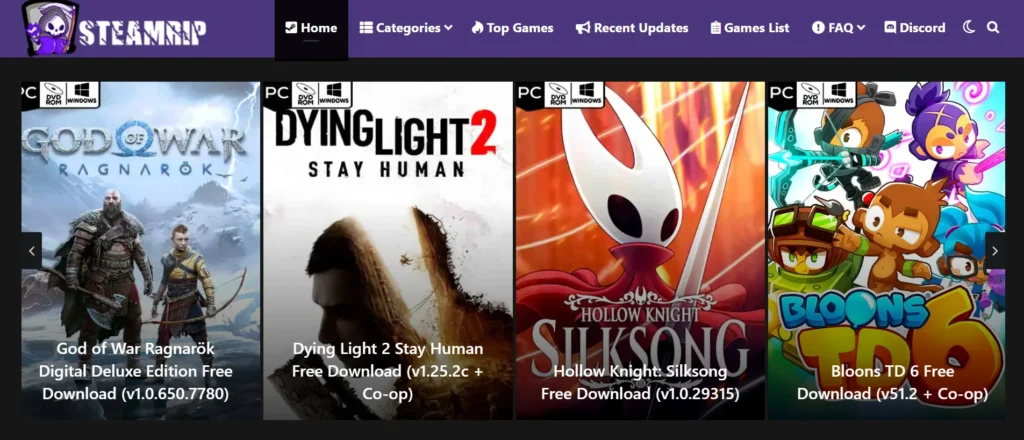
To understand the safety profile, one must first understand the technical architecture. What is SteamRip? Unlike torrent sites that rely on decentralized peer-to-peer swarms, or “Repack” sites that distribute heavily compressed installers, SteamRip functions as a Direct Download Library for Pre-Installed Software.
The “Pre-Installed” Difference
The primary differentiator—and a key reason for its safety reputation—is the format of content delivery:
- Repacks (e.g., FitGirl, Dodi): These highly compressed files require a lengthy installation process that taxes your CPU and RAM. Errors during this phase (like the infamous unarc.dll) are common.
- SteamRip (Pre-Installed): SteamRip hosts the game folder in its uncompressed state. You download the full file size, extract the archive, and run the executable. There is no “installation” phase.
By eliminating the installer, SteamRip reduces the “surface area” for technical errors, leading to a smoother user experience often conflated with higher safety.
The Supply Chain
A critical component of the steamrip safety review 2025 is the origin of the files. Research indicates that SteamRip acts as a curator rather than a cracker. They typically re-upload “Scene Releases” from established groups (like RUNE, TENOKE, or FLT) or verify P2P cracks from trusted sources like Goldberg.
Because they maintain the “digital chain of custody”—hosting files that are cryptographically signed by Scene groups—the files themselves are generally clean. The danger lies elsewhere.
The Safety Audit: Viruses, Redirects, and Trust
When users ask, “how safe is steamrip,” they are usually asking two different questions: “Are the files infected?” and “Will the website give me a virus?”
1. Community Consensus
In the absence of official audits, the piracy ecosystem relies on “Community Consensus.” As of 2025, SteamRip is listed as a Trusted Site on the influential r/PiratedGames and r/Freemediaheckyeah Megathreads. This “Megathread Certification” is rigorous; sites caught uploading malware (even once) are immediately demoted to “Unsafe.”
2. The Real Threat: Malvertising and Redirects
The vast majority of malware reports associated with SteamRip do not come from the game files, but from the ad networks. SteamRip relies on third-party file hosts like MegaDB, GoFile, and Buzzheavier. These hosts generate revenue through aggressive advertising.
- The Redirect Loop: Clicking a download button often triggers a new tab loading a fake page saying “Your Flash Player is Outdated” or “Download Ready.”
- The Trap: If you download the small .exe file from these pop-ups, you will get a virus. This is not the game; it is malvertising.
3. The “False Positive” Phenomenon
If you successfully download the legitimate game archive, your antivirus may still flag it. Queries like “does steamrip have viruses” often stem from heuristic detection.
To bypass DRM, cracks must modify game memory—behavior that looks identical to malware in the eyes of Windows Defender. Common flags like HackTool:Win32/GameHack or CrackTool.Agent are typically false positives essential for the game to function. However, users must be vigilant: if a random .exe in your Temp folder is flagged, delete it. If the steam_api64.dll inside the game folder is flagged, it is likely safe.
4. URL Verification: The Clone War
Typosquatting is a major risk. Scammers create clones like steamrip.net or steamrip.org to steal traffic and serve actual malware.
- Official URL: steamrip.com
- Status: Safe (with adblock)
- Clone Sites: Unsafe (Always avoid).
Comparative Analysis: SteamRip vs. The Ecosystem
To truly answer the question of legitimacy, we must compare SteamRip to its direct competitors.
SteamRip vs. SteamUnlocked
For years, SteamUnlocked was the market leader. However, in 2025, the recommendation has shifted decisively.
- SteamUnlocked: Currently classified as UNSAFE by the community. They have been documented uploading stolen releases from untrusted sources (IGG) and use UploadHaven, which throttles download speeds to unusable levels (often <50KB/s) to force premium subscriptions.
- SteamRip: Classified as SAFE. They use high-speed hosts like GoFile and Buzzheavier that often saturate gigabit connections.
Verdict: Is steamrip safer than steamunlocked? Yes, unequivocally. SteamUnlocked is obsolete.
SteamRip vs. FitGirl Repacks
This choice depends on your hardware and internet speed.
- Use FitGirl if: You have slow internet but a fast CPU. The downloads are small, but installation takes hours.
- Use SteamRip if: You have fast internet. You download a larger file, but you can play immediately after extraction.
The “Safe Usage” Protocol: How to Download Safely
Safety is not passive; it is an active process. Follow this protocol to ensure how to download from steamrip safely.
Step 1: Secure Network with BearVPN
Before navigating to any DDL site, securing your connection is mandatory. Many ISPs actively monitor and throttle traffic to known file-hosting domains like MegaDB or Buzzheavier.
- Recommendation: We recommend BearVPN for this specific use case.
- Why BearVPN: Unlike generic free VPNs that often sell user bandwidth, BearVPN operates with a strict no-logs policy and uses AES-256 encryption. Crucially for SteamRip users, it includes a robust Kill Switch, which instantly cuts your internet if the VPN drops, preventing your real IP from leaking to file hosts.
- P2P & Speed: BearVPN is optimized for P2P traffic and large file transfers, ensuring that your download speeds on hosts like GoFile remain high while keeping your activity invisible to your ISP.
Step 2: Hardening the Browser
Google Chrome’s Manifest V3 update has limited the effectiveness of ad blockers.
- Recommendation: Use Firefox or Brave Browser.
- Mandatory Extension: Install uBlock Origin. This is non-negotiable. It blocks the malicious redirect scripts that serve malware.
- Optional: Install FastForward to skip link-shortener timers.
Step 3: What Files to Download on SteamRip
When you reach the download page (e.g., MegaDB), identifying the correct button is an IQ test.
- The Visual Cue: The real download button is often smaller and less flashy than the fake “Download High Speed” ads surrounding it.
- File Extension Check: Before saving, check the file extension. If you are downloading a game, it should be a .rar, .zip, or .7z archive. If the browser prompts you to save an .exe or .iso file (often named Setup.exe or Download_Manager.exe), CANCEL IMMEDIATELY. That is a virus.
Step 4: Use a Download Manager
Browsers handle large files poorly. If your 50GB download disconnects at 99%, Chrome will corrupt the file.
- Tool: Use Internet Download Manager (IDM) or Free Download Manager (FDM). These tools split the file into threads for maximum speed and allow you to resume broken downloads.
Troubleshooting: Fixing Common Errors
A significant portion of negative sentiment comes from users facing technical errors, not viruses.
The “Isdone.dll” and “Unarc.dll” Fix
If you see these errors, steamrip isdone.dll queries will tell you the file is broken. It usually isn’t.
- The Cause: Your computer ran out of RAM or PageFile memory during extraction.
- The Fix: Increase your Windows Virtual Memory (PageFile) to at least 16GB. Alternatively, try extracting the file in Windows Safe Mode.
The “Game Won’t Launch” (VCRUNTIME Error)
- The Cause: Missing dependencies.
- The Fix: Look inside the game folder for a directory named _CommonRedist. You must install every program inside this folder (DirectX, VCRedist). These are the engines required to run the game.
Antivirus Exclusions
If the game opens and immediately closes, Windows Defender likely ate the crack file.
- Create a folder named C:\Games.
- Add this folder to your Antivirus Exclusions list.
- Extract all SteamRip games into this safe zone.
Strategic Niche: SteamRip on Steam Deck
The steamrip on steam deck combination has become a “killer app” for the handheld community. Because SteamOS is Linux-based, running Windows installers (like FitGirl’s setup.exe) through Proton is often buggy and prone to hanging.
Why SteamRip Wins on Deck: Since the games are “pre-installed,” you skip the installation step entirely.
- Download: Download the game on your PC for speed.
- Transfer: Use Warpinator or an external SSD to move the folder to your Deck.
- Configure: Add the game’s .exe as a “Non-Steam Game” in Desktop Mode.
- Compatibility: Force “Proton Experimental” in the compatibility settings.
This workflow makes SteamRip the most efficient source for Steam Deck owners in 2026.
Conclusion
So, is SteamRip safe?
In 2026, SteamRip represents the “Gold Standard” of Direct Download sites. It has successfully filled the vacuum left by the collapse of SteamUnlocked, offering a safer, faster, and more reliable service backed by the rigorous standards of the Scene community.
However, safety is conditional. SteamRip is safe IF:
- You are on the correct URL (steamrip.com).
- You use BearVPN to secure your connection and prevent ISP throttling.
- You use uBlock Origin to neutralize malvertising.
- You understand that a “HackTool” flag on a game DLL is a false positive, not a threat.
For the informed user, SteamRip is a legitimate resource for digital preservation and trial. For the unprepared user clicking every flashing download button, it remains a minefield. Proceed with knowledge, and you proceed with safety.
FAQ
1. Is downloading games from SteamRip legal?
No. While SteamRip is “safe” from a malware perspective (if used correctly), downloading copyrighted software without a license is illegal in most jurisdictions. It falls under copyright infringement laws. This is why using a privacy tool like BearVPN is strongly recommended to prevent your ISP from monitoring this activity.
2. Why is my download speed so slow?
If you are getting slow speeds (under 1MB/s), you are likely downloading directly through your browser or using a throttled file host like MegaDB. To fix this:
- Use a download manager like FDM (Free Download Manager) to multi-thread the connection.
- Choose high-speed mirrors like GoFile or Buzzheavier whenever available.
3. What is the _CommonRedist folder and do I need it?
This folder contains essential system drivers (DirectX, VCRedist,.NET Framework) required to run the game. If your game fails to launch or gives a “Missing DLL” error, it is almost always because you skipped installing these files. You should install everything inside this folder.
4. How do I update games downloaded from SteamRip?
Unlike the official Steam client, pirated games do not auto-update. To update a game, you typically have to re-download the entire newer version of the game folder. While it is sometimes possible to find small “update patches” on forums like CS.RIN.RU, re-downloading is often the safest and easiest method to ensure file compatibility.
5. Do I really need a VPN for Direct Downloads (DDL)?
Yes. While DDL is generally safer than torrenting regarding copyright trolls, ISPs can still see the domains you are accessing (e.g., specific file hosts known for piracy). A no-logs VPN like BearVPN encrypts this traffic, preventing your ISP from throttling your connection or flagging your account for suspicious activity.