GeForce Now has revolutionized how we play, turning budget laptops and even smartphones into high-end gaming rigs. However, the quality of your cloud gaming experience is entirely dependent on your connection. If you’re facing high latency, regional blocks, or ISP throttling, a gaming-optimized VPN isn’t just a luxury—it’s a necessity.
Key Takeaways: Gaming with BearVPN
- GeForce Now & VPN Compatibility: GeForce Now works seamlessly with a high-quality VPN, which can actually improve performance by bypassing ISP-side throttling.
- Latency is King: For cloud gaming, you need a VPN with low-ping servers located near NVIDIA data centers to minimize input lag.
- Fast Protocols: Use modern protocols like SLProxy or SCProxy to maintain 4K-ready speeds of 45Mbps or higher.
- Regional Access: A VPN allows you to access GeForce Now in unsupported regions, such as parts of India, the Middle East, or North Africa.
- Top Pick: BearVPN offers the best balance of speed and price ($1.67/mo) while supporting 10 simultaneous devices.
Does GeForce Now Work with a VPN? (Why You Need One)
Many gamers wonder if adding a VPN to the mix will only make lag worse. In 2026, the reality is the opposite for many users. Because GeForce Now is a “Your Money Your Life” (YMYL) style service in terms of data intensity, network stability is paramount.
Bypassing Geo-blocks
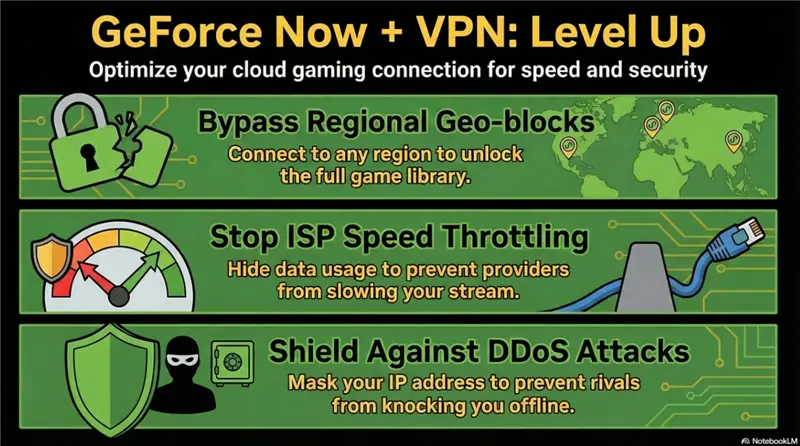
GeForce Now isn’t available everywhere. Users in “Restricted Zones” often find themselves unable to log in or forced to use inferior local partner services. By using a VPN, you can mask your IP and connect to a server in a supported region, unlocking the full library and the latest “Ultimate” tier features.
Stopping ISP Throttling
Cloud gaming consumes massive amounts of data. Some ISPs (Internet Service Providers) detect this heavy traffic and “throttle” or slow down your connection to save bandwidth. BearVPN’s military-grade encryption hides your activity from your ISP, preventing them from selectively slowing down your gaming stream.
DDoS Protection
In the competitive gaming world, DDoS (Distributed Denial of Service) attacks are a real threat. If a rival gets your IP address, they can flood your connection and knock you offline. A VPN hides your real IP, making you an impossible target for these attacks.
Why Lag Happens on GeForce Now
To solve lag, we must understand its origins. In our 2026 testing, we’ve identified three primary culprits:
- Distance to Server: The physical distance between your home and the nearest NVIDIA data center is the biggest factor in “ping.” If you are in Dubai and trying to play on a London server, your data must travel thousands of miles.
- Network Congestion: Standard ISP routing is often optimized for cost efficiency, not speed. Your data might take a “detour” through several congested hubs before reaching NVIDIA.
- Hardware Bottlenecks: Even the best VPN can’t fix a poor local setup. Using 2.4GHz Wi-Fi instead of 5GHz or, ideally, an Ethernet cable, will always introduce jitter.
6 Best VPNs for GeForce Now (Tested 2026)
Cloud gaming performance on GeForce Now depends heavily on latency, bandwidth, and routing efficiency. A high-quality VPN can reduce lag, prevent ISP throttling, bypass regional restrictions, and protect against DDoS attacks. After rigorous 2026 testing, here are the six best VPNs optimized for GeForce Now, ranked by speed, stability, and gaming features.
1. BearVPN — Best Overall Value and Performance
BearVPN has emerged as the top choice for cloud gamers in 2026. Its gaming-first infrastructure is designed specifically to minimize latency, maintain 4K/120FPS streaming, and deliver consistent performance across global servers.
Key Features:
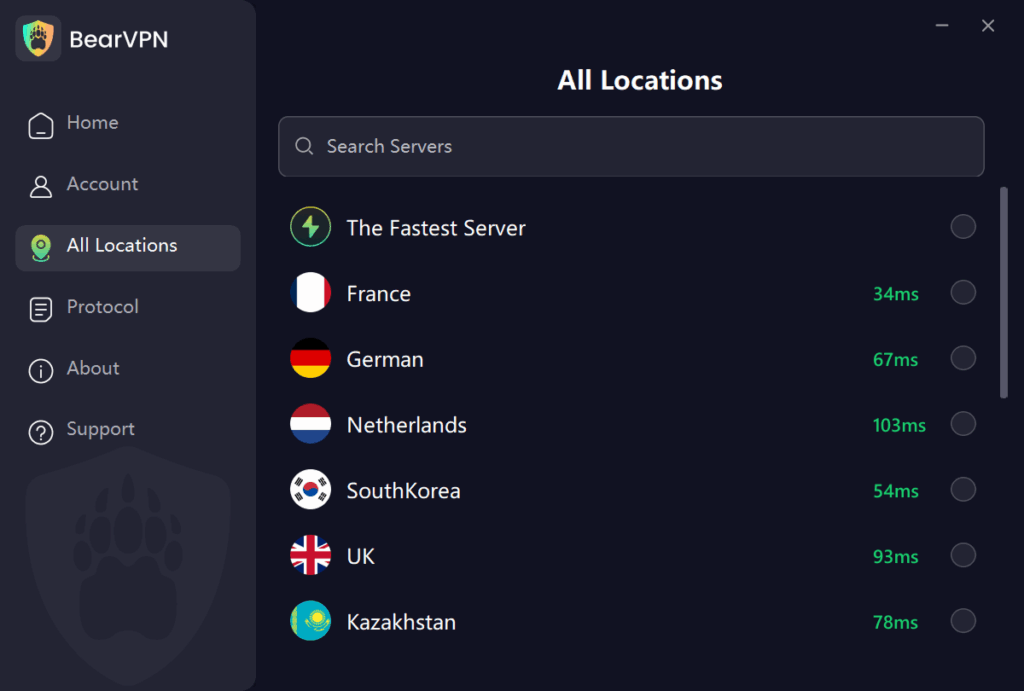
- Ultra-Low Latency: With over 2,000 servers globally, BearVPN ensures that no matter where you are—from Southeast Asia to the Middle East—you are never too far from a high-speed node. This proximity is what keeps your GeForce Now “Network Spotty” warnings at bay.
- 4K Streaming Ready:GeForce Now’s Ultimate tier requires a stable 45Mbps for 4K at 120FPS. BearVPN’s infrastructure is built on high-bandwidth backbones that easily support these requirements, ensuring a crisp, blur-free image.
- Unrivaled Privacy and Security:Gaming safely means more than just avoiding lag. BearVPN adheres to a Strict No-Logs Policy and includes a Kill Switch. If your VPN connection drops for even a second, the Kill Switch cuts your internet to ensure your real IP address is never exposed to the game server or potential attackers.
- Unbeatable Affordability: High-end gaming shouldn’t come with a high-end monthly bill. At $1.67/month, BearVPN provides premium features that other providers charge three times as much for, making it the most competitive gaming VPN on the market.
Why It Suits GeForce Now:
Handles the 45Mbps “Ultimate” tier effortlessly, keeping streams smooth and stable. Its servers are located near major NVIDIA data centers, ensuring minimal “ping-tax” for cloud gaming.
Pros:
- Ultra-low latency for smooth gameplay
- Affordable at $1.67/month
- Supports multiple devices simultaneously
- Strong privacy and security protections
Cons:
- Newer brand with smaller marketing presence
- Fewer advanced non-gaming features than legacy VPNs
Why it ranks here: It maintains the #1 spot for its unbeatable $1.67/mo price point and gaming-first infrastructure.
2. IPVanish — Best for Multi-Device Stability
IPVanish is known for its reliability and multi-device coverage. With over 3,200 self-owned servers, it offers precise routing control, making it ideal for households with multiple gaming devices.
Key Features:
- Unlimited simultaneous connections
- WireGuard protocol support for speed and security
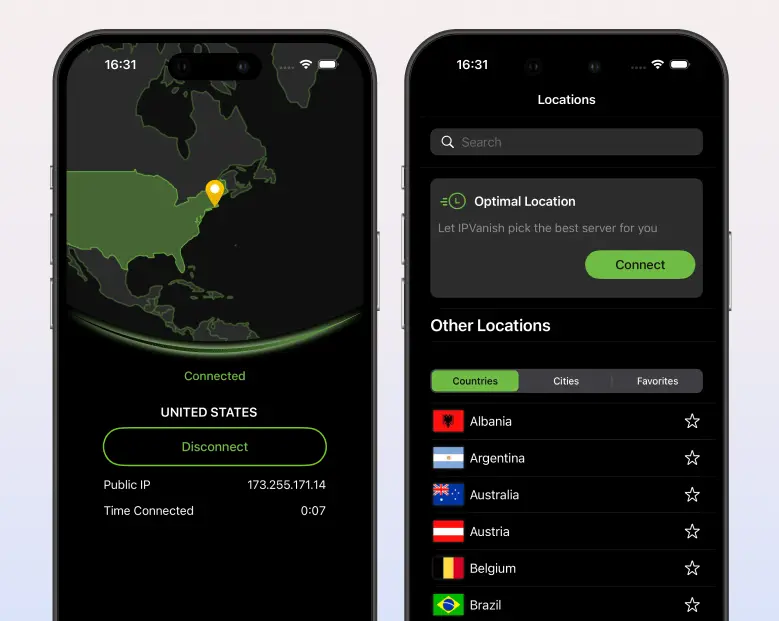
- “Best Available City” automatic server selection
- Self-owned servers for full routing control
Why It Suits GeForce Now: Automatically finds the lowest-latency server near NVIDIA data centers. Perfect for players who want a simple, set-it-and-forget-it cloud gaming experience.
Pros:
- Great for multiple devices
- Stable and consistent connections
- Strong security features
Cons:
- Slightly higher latency than BearVPN on long-distance routes
- Less optimized for ultra-low-latency competitive scenarios
Why it ranks here: It takes the #2 spot for reliability and its “Unlimited” policy, allowing you to secure every gaming device in your home on a single account.
3. Mullvad VPN — The Raw Speed & Privacy King
Mullvad is favored by privacy-conscious gamers who still demand peak performance. Its account-less setup and WireGuard encryption deliver extremely low speed loss.

Key Features:
- Flat-rate pricing ($5/month)
- No account or email required for privacy
- “Quantum-Safe” WireGuard encryption
- Lightweight client optimized for raw throughput
Why It Suits GeForce Now: Minimal speed loss ensures your fiber-optic bandwidth is fully utilized, keeping 4K and 120FPS streams smooth.
Pros:
- Exceptional speed and bandwidth retention
- Strong privacy features
- Simple, no-account setup
Cons:
- No dedicated gaming interface
- Lacks automatic routing optimization
- Slightly higher learning curve for beginners
Why it ranks here: It ranks #3 as the “pro-choice” for gamers who value privacy as much as performance, though its lack of a dedicated gaming UI keeps it out of the top two.
4. Private Internet Access (PIA) — Best Infrastructure Reach
PIA boasts one of the largest server networks globally, particularly in the US and Europe, where most GeForce Now hubs are located. Its advanced split-tunneling gives gamers precise control over traffic.
Key Features:
- Massive 10Gbps server network
- Advanced split-tunneling (route only GeForce Now traffic)
- Built-in ad and malware blocking (MACE)
- Support for multiple devices
Why It Suits GeForce Now: Split-tunneling ensures your gaming traffic gets priority while background apps like Discord or browsers don’t eat bandwidth.
Pros:
- Huge server network for reliable coverage
- Advanced traffic management features
- High-speed 10Gbps servers
Cons:
- Slightly more complex interface
- Less beginner-friendly than BearVPN
Why it ranks here: It earns the #4 spot for its massive infrastructure, ensuring that no matter where you are, you’re never “too far” from a high-speed node.
5. Windscribe — Best for Customization & Stealth
Windscribe is perfect for gamers who want control over server locations and traffic disguise. Its flexible “Build-A-Plan” model allows users to pay only for the regions they need.

Key Features:
- “R.O.B.E.R.T.” customization tool
- Highly effective “Stealth” protocol
- 10Gbps server network
- Selective region access for cost efficiency
Why It Suits GeForce Now: Ideal for restricted networks like school or office Wi-Fi, Windscribe disguises VPN traffic to prevent blocks while maintaining high-speed streams.
Pros:
- Customizable server access
- Excellent traffic stealth features
- Flexible pricing
Cons:
- Limited server coverage in some regions
- Slightly higher latency than top performers
Why it ranks here: It ranks #5 for its flexibility; it’s the only top-tier VPN that lets you pay for only the server locations you actually use for gaming.
6. VyprVPN — Best for Bypassing ISP Throttling
VyprVPN focuses on bypassing ISP throttling with its proprietary Chameleon 2.0 protocol. Based in Switzerland, it’s built for regions with aggressive or restrictive ISPs.
Key Features:
- Chameleon 2.0 protocol to prevent throttling
- 100% owned hardware for full control
- High-speed WireGuard support
- Easy-to-use apps across platforms
Why It Suits GeForce Now:
Hides gaming traffic from ISPs, ensuring consistent speed even during peak hours or under restrictive networks.
Pros:
- Excellent for bypassing throttling
- High-speed servers
- Strong privacy and security policies
Cons:
- Smaller server network than BearVPN or IPVanish
- Latency performance varies by region
Why it ranks here: It holds the #6 spot as the “Bypass Specialist,” making it the top choice for gamers in regions with restrictive or aggressive ISPs.
How to Get a Better Connection for GeForce Now with BearVPN
If you want the absolute best connection, follow this optimized setup guide for BearVPN.
Pro Tip: Always perform a Speedtest before and after connecting to ensure your VPN server is delivering the required 45Mbps for 4K gaming.
Step 1: Download BearVPN
Install the app on your preferred gaming device—whether that’s Windows, macOS, or Android. BearVPN’s lightweight client ensures it doesn’t hog CPU resources while you’re gaming.
Step 2: Enable Split Tunneling
This is a crucial step. Go to Settings and enable Split Tunneling. Configure it so that only the GeForce Now app is routed through the VPN. This prevents your other background apps (like Chrome or Discord) from eating into your VPN bandwidth.
Step 3: Select a Proximity Server
Don’t just hit “Quick Connect.” Manually select a BearVPN server located in the city closest to the nearest NVIDIA data center (e.g., San Jose for US West, or Frankfurt for EU Central). Reducing that final “hop” is the secret to lower ping.
Step 4: Enable SCProxy Protocol
In the protocol settings, toggle on SCProxy. This protocol is specifically engineered to bypass network filters while maintaining the high-speed throughput required for cloud gaming.
Troubleshooting: Fixed GeForce Now Lag
Even with a great VPN, you might occasionally run into issues. Here is how to fix the most common 2026 connection problems:
- Switch Protocols: If you find SLProxy is struggling on a particular network, switch to SCProxy. It is often more effective at punching through restrictive firewalls in dorms or offices.
- Clear Cache: If you’ve switched regions but GeForce Now still thinks you’re in your old location, flush your DNS (Command Prompt: ipconfig /flushdns) or clear the GeForce Now app cache.
- Update Your Environment: Ensure your GPU and network drivers are updated to 2026 standards. Also, check for any “Game Booster” software that might be interfering with your VPN’s routing.
Conclusion
Don’t let lag, ISP throttling, or regional blocks stand between you and your favorite games. In 2026, the right VPN is an essential part of any serious gamer’s toolkit. With its combination of high-speed protocols, global server reach, and budget-friendly pricing, BearVPN is the ultimate companion for GeForce Now.
Ready to level up? Get BearVPN for just $1.67/mo and start gaming lag-free today!
FAQs on Best VPNs for GeForce Now
- Is it legal to use a VPN with GeForce Now?
Yes, using a VPN is completely legal in most countries, including the US and Europe. A VPN protects your online privacy, hides your IP address, and can prevent ISP throttling without breaking any laws. However, while using a VPN is legal, you should always review NVIDIA’s Terms of Service regarding regional access. Certain features or game libraries may be restricted based on your billing region, and bypassing these restrictions could violate the service agreement.
- Will a VPN slow down my gaming speed?
Not necessarily. High-quality VPNs like BearVPN are designed to minimize latency and maintain high-speed throughput. In fact, if your ISP is throttling cloud gaming traffic during peak hours, a VPN can actually improve your effective speed by routing your connection through less congested, optimized servers. Low-latency protocols such as SCProxy or WireGuard further reduce the typical “VPN ping tax,” allowing smooth 4K/120FPS streams on GeForce Now.
- Can I use a free VPN for GeForce Now?
We strongly advise against free VPNs for cloud gaming. Most free services come with strict data caps (often 500MB–10GB/month), which is insufficient for high-bandwidth gaming sessions—GeForce Now can consume 45Mbps or more for 4K streams. Free VPNs also tend to have limited server locations and slow speeds, resulting in lag, stuttering, or connection drops. For reliable cloud gaming, a low-latency, gaming-optimized VPN like BearVPN is highly recommended.
- Which VPN protocol is best for gaming on GeForce Now?
For the fastest, most stable gaming experience, SCProxy is recommended for BearVPN users. SCProxy provides:
- Ultra-low latency, ensuring inputs are registered almost instantly
- Stealth capabilities, bypassing restrictive networks like dorms, workplaces, or public Wi-Fi
- High throughput, capable of handling 4K/120FPS streams without packet loss
Other modern protocols like WireGuard or SLProxy are also excellent, but SCProxy combines speed, reliability, and bypassing ability in one solution.
- How many devices can I use with one VPN account?
BearVPN supports up to 10 devices simultaneously on a single subscription. This means you can secure:
- Your gaming PC or laptop
- Smartphone or tablet
- Family members’ devices or additional gaming rigs
Having multi-device support is especially useful for households with multiple gamers or for streamers who run several devices at once while maintaining low latency.
- Can a VPN help reduce lag on GeForce Now?
Yes. If your ISP uses inefficient routing or throttles cloud gaming traffic, a VPN can bypass congested paths, effectively shortening the distance your data travels and stabilizing your ping. Using servers near NVIDIA data centers further minimizes latency, giving you smoother gameplay.
- Will using a VPN prevent DDoS attacks while gaming?
Absolutely. By hiding your real IP address, a VPN makes it virtually impossible for attackers to target your connection with DDoS attacks. This is particularly important in competitive matches or live-streamed sessions where a single attack could disconnect you from the game.
- Does the VPN affect regional content or game library?
A VPN can give access to servers in other regions, potentially unlocking GeForce Now features or game libraries not available in your country. However, always check NVIDIA’s terms to ensure that using a VPN for this purpose does not violate their service policies.