Hunting for the best cheap VPN is tricky because “from $1.99” headlines rarely tell the whole story. Deals hinge on multi-year prepay, renewal jumps, and feature trade-offs that only show up after checkout. This guide strips away the noise with a clear pricing lens, a safety baseline, and concise profiles of budget-friendly services—so you can pay less without gambling on privacy or everyday usability.
How “Cheap” VPN Pricing Really Works
Price banners often assume long commitments and first-term discounts. To compare fairly, focus on effective monthly cost, renewal rates, and refund windows—then decide whether the long lock-in matches how you’ll actually use a VPN over the next one to three years.
The apples-to-apples method
- Effective monthly cost: Divide the total checkout price by the total months. That’s the only figure that fairly compares plans of different lengths.
- Renewal reality: First-term discounts can jump on renewal. If you dislike long commitments, evaluate the standard monthly and 12-month prices as your fallback.
- Refund windows: Budget services often provide 30 days (some longer). That’s your zero-risk test period—use it to run speed, app stability, and your personal use cases.
- Add-ons & bundles: Extra storage, antivirus, or a dedicated IP can be useful, but they raise the “real” price. Treat them as optional rather than default.
When the cheapest headline isn’t the cheapest
If you plan to use a VPN only during travel seasons or specific streaming windows, a flexible monthly option (even if pricier) may beat a multi-year prepay you won’t fully use. Conversely, if the VPN will run daily on every device, the longest plan often wins.
What Makes a Low-Cost VPN Actually Safe
Affordability shouldn’t undercut privacy. A sensible baseline keeps you protected without chasing buzzwords. Use these criteria to screen “cheap” options and avoid services that save money by stripping essentials or making vague, untestable claims.
Baseline checklist
- Modern protocols: WireGuard or comparable modern options for speed and efficiency.
- No-logs posture with outside scrutiny: Look for independent assessments or at least clear, narrowly scoped data practices.
- Leak protections & kill switch: Prevent DNS/IPv6 leaks and drop traffic if the tunnel fails.
- Obfuscation options: Helpful on restrictive networks (e.g., hotels, campuses, some public Wi-Fi).
- Transparent apps & permissions: Mobile and desktop clients should request only what they need and make privacy toggles obvious.
Performance that actually matters
Latency and route quality usually matter more than raw top-end speeds. A “value” service with sensible routing to the regions you use can outperform a flashier service if it consistently keeps pings low and avoids congestion at peak times.
Feature Trade-offs at Budget Price Points
Under the $4 bracket, you’ll find big differences in device limits, streaming reliability, and polish. Know where providers save costs—and when paying one extra dollar can remove an annoyance you’ll face every single day.
Common trade-offs
- Device limits vs. unlimited: Some “value” brands allow unlimited devices, others set caps. If your household has many phones, laptops, TVs, and consoles, unlimited can be worth paying for.
- Streaming predictability: Budget plans can work with popular libraries, but success varies by region and time. Treat it as “may work; can try”, not a guarantee.
- Server spread vs. depth: More locations help travel and latency, but the quality of key routes (to your most-used regions) matters more than raw counts.
- App polish: Lighter apps can be fast but may lack advanced toggles; heavier apps may include more controls but use more battery/CPU on older devices.
- Support & refunds: 24/7 chat and longer refund windows, smooth onboarding—use them during your first month to test thoroughly.
Budget VPN Profiles: Feature Sets, Pros & Cons
Below are concise mini-reviews of the best cheap VPNs. Each profile includes a brief overview, 3–5 key features tied to real-world use, plus balanced pros and cons. These aren’t guarantees—always test with your own devices, regions, and services.
1. BearVPN (Starting at $1.67/mo)
BearVPN is one of the cheapest VPNs you can rely on, with over 2,000 servers worldwide and works on any platform. It’s built for quick setup and smooth performance, keeping latency low for browsing, streaming, and travel while protecting your privacy.
You can start with BearVPN’s free version to explore its features, then upgrade anytime for full-speed access to all servers and premium security.

Key Features
- Work on popular platforms
- Quick-connect, clean interface designed for fast starts
- Server locations across regions to help reduce routing distance
- Privacy-first essentials oriented toward everyday use
Pros
- Simple, beginner-friendly setup with a minimal learning curve
- Broad platform coverage including Android, iOS, Windows and macOS
- Lightweight apps that feel responsive on older hardware
- Budget positioning makes it easy to try before long commitments
Cons
- Fewer advanced power-user controls than some premium suites
- Smaller ecosystem of niche add-ons than big incumbents
Note: When evaluating BearVPN specifically, match it to your intent. If you need quick connection, and a privacy-focused design, it’s a pragmatic, low-friction pick. If you want extensive enterprise-style knobs or extras, a higher-tier provider may suit you better.
2. Surfshark (Starting at $1.99/mo)
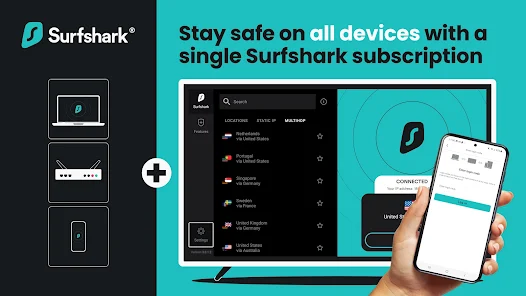
Known for strong value and unlimited devices, Surfshark balances price with capable apps and a growing network. It’s popular with households that want to protect many gadgets on one plan.
Key Features
- Unlimited simultaneous connections
- Modern protocols with fast default settings
- Wide server footprint with frequent infrastructure updates
- Clean UI with useful extras such as split tunneling on many platforms
Pros
- Outstanding for multi-device families and power users
- Polished apps across desktop and mobile
- Competitive long-term pricing relative to the feature set
- Often reliable day-to-day speeds on mainstream routes
Cons
- Renewal pricing can jump after the first term
- Some advanced features vary by platform
- As with all services, streaming libraries may require trial-and-error
3. Private Internet Access (PIA) (Starting at $2.03/mo)
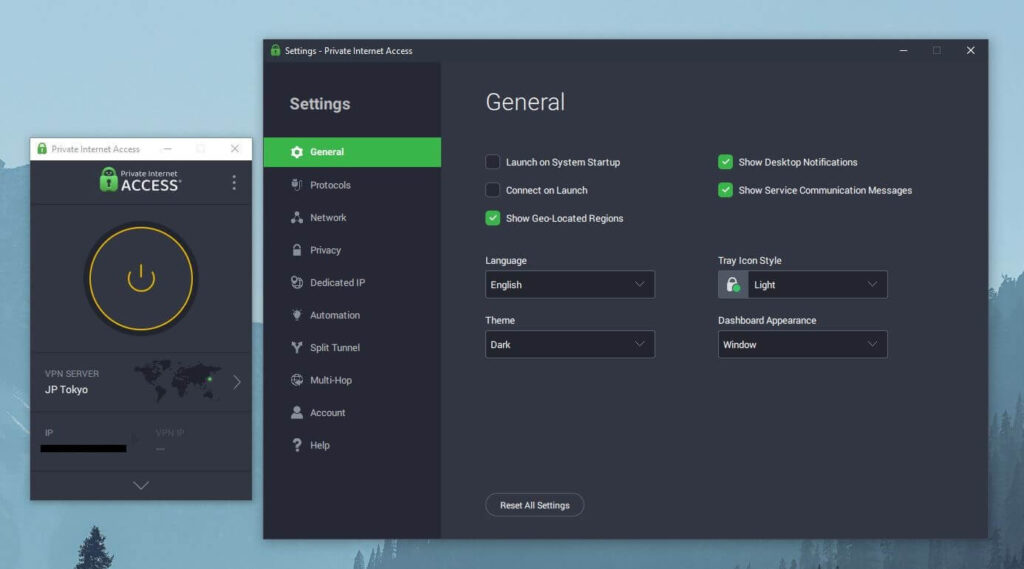
Private Internet Access (PIA) is a value-oriented veteran with a reputation for customization and large server coverage. It appeals to users who want granular controls while staying budget-conscious.
Key Features
- Very flexible settings for protocols and encryption
- Large server network, including many city-level options
- Unlimited device policy on most plans
- Open-source clients and a long track record in the space
Pros
- Excellent for tinkerers who like to fine-tune
- Competitive pricing on longer terms
- Solid day-to-day speeds with modern protocol support
- Unlimited devices keep costs predictable for big households
Cons
- Interface depth can feel intimidating to true beginners
- Renewal pricing and regional tax can affect the final monthly
- Streaming reliability varies; expect to test and rotate servers
4. PrivadoVPN (Starting at $1.11/mo)
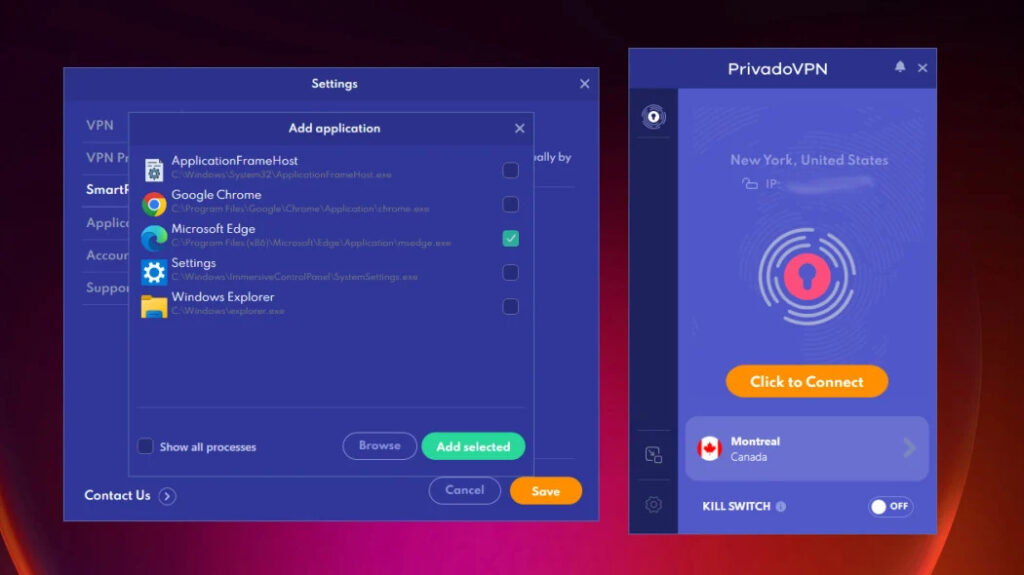
Privado VPN can be regarded as a budget pick with a notable free tier for light use and low-cost paid plans for those who want more locations and better speeds. A sensible stepping stone from “free” to “cheap.”
Key Features
- Free plan suitable for occasional, light tasks
- Paid plans unlock more locations and higher speeds
- Modern protocol support for efficient connections
- Apps for major platforms with straightforward setup
Pros
- Easy on-ramp if you’re testing a VPN for the first time
- Simple, uncluttered apps
- Paid upgrades remain budget-friendly for students and travelers
- Good everyday usability for browsing and public Wi-Fi
Cons
- Free plan limits make it a short-term solution only
- Smaller server list than premium leaders
- Streaming/P2P success is mixed and region-dependent
5. Proton VPN (Starting at $2.99/mo)
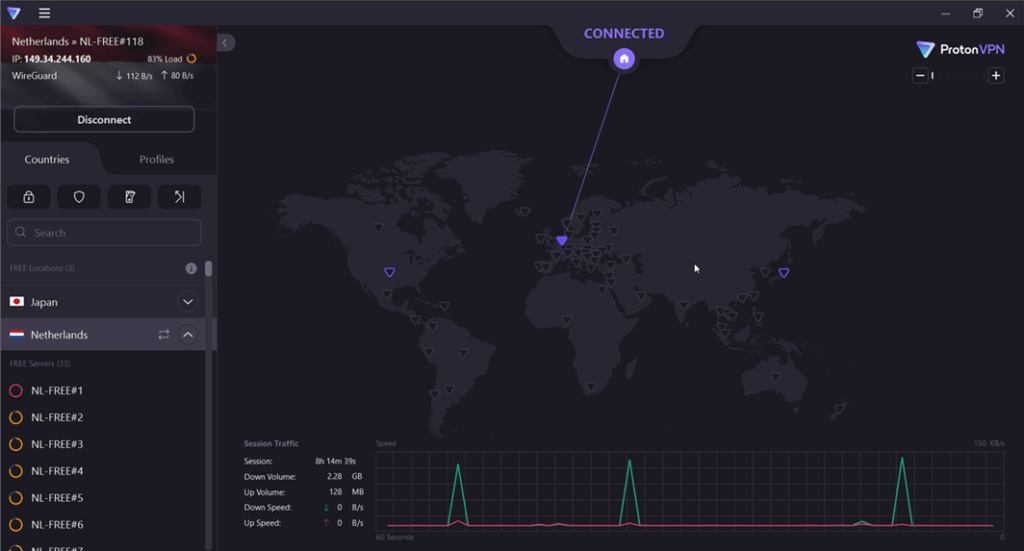
Another cheap VPN is Proton VPN. It provides users with a privacy-focused service from a security-centric ecosystem. Known for a strong free plan and a transparent posture, it suits users who prioritize audits and clear policies while still watching costs.
Key Features
- Well-regarded free plan for basic use
- Emphasis on security audits and a privacy-first stance
- Broad platform support with polished apps
- Useful extras in higher tiers for advanced users
Pros
- Strong transparency and security reputation for the price
- The free plan is generous enough for casual protection
- Steady performance on mainstream routes with modern protocols
- Clear documentation and privacy controls
Cons
- Best speeds and features live behind paid tiers
- It can cost more than ultra-budget rivals on renewal
- Not every advanced toggle exists on all platforms
6. CyberGhost (Starting at $2.19/mo)
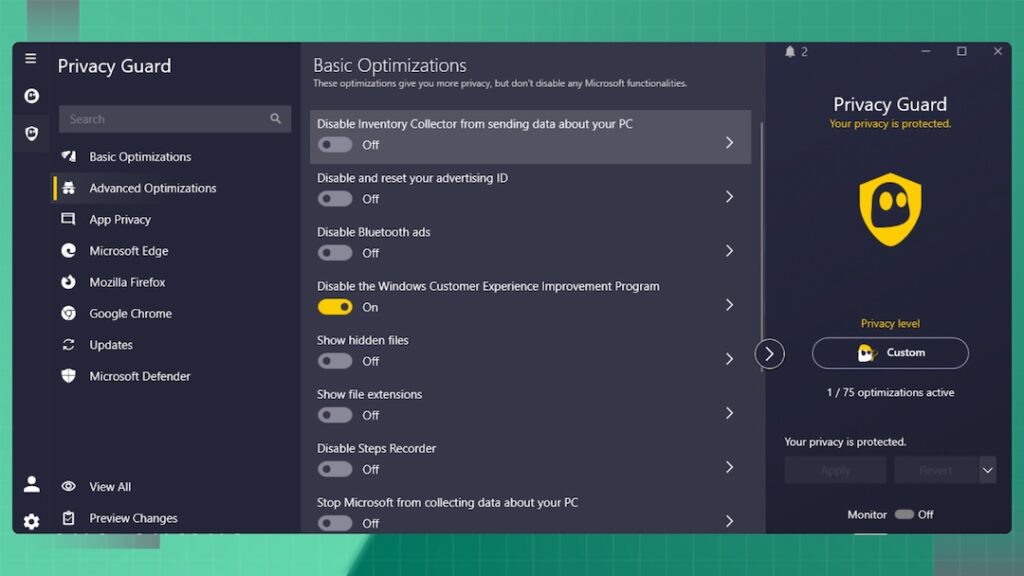
CyberGhost is a value brand with beginner-friendly apps and longer refund windows on some plans. Its simple onboarding and broad platform coverage make it appealing to first-timers.
Key Features
- Easy-to-use desktop and mobile apps
- Long refund window on select plans
- Wide selection of server locations
- Task-oriented UI that helps new users get started
Pros
- Very approachable for new VPN users
- Competitive long-term pricing during promotions
- Helpful guidance inside the apps for common tasks
- Broad location choices for travel and latency options
Cons
- App depth is lighter than power-user-oriented suites
- Renewal price may exceed the first-term discount
- Streaming and P2P experiences vary by region and time
When You Should Use a VPN
Cheap VPNs can work for streaming, P2P, and café Wi-Fi, but your mileage depends on routes, server rotation, and policies. Treat streaming as “may work; can try,” and always comply with laws and platform terms wherever you connect.
Streaming (may work; test first)
- Start with nearby servers for the best baseline speeds.
- If a library doesn’t load, switch to another location or protocol, then retest.
- Keep expectations realistic: success can change over time, and what works today may need a different server next week.
Torrenting (where legal)
- Favor providers that document P2P support in their apps or help pages.
- Use the kill switch and verify no DNS/IPv6 leaks before large downloads.
- Stay within local laws and your ISP’s acceptable-use policies.
Travel & public Wi-Fi
- Enable auto-connect on untrusted networks and confirm the kill switch.
- Use obfuscation or protocol fallback on restrictive hotel/campus networks.
- Pick servers geographically close to your actual location for lower latency.
Head-to-Head Price & Value Snapshots
Here’s a quick, decision-oriented snapshot to compare price posture and value angles. Use it to shortlist two or three options, then test them during the refund window on your devices and networks.
| Provider | Price Posture (Typical) | Devices Policy | Value Angle in One Line |
| BearVPN | Budget-friendly; straightforward entry pricing | 10 devices | Easy to use and a wide range of VPN servers |
| Surfshark | Aggressive promos; renewal can rise | Unlimited | Best for large households and many gadgets |
| PIA | Competitive long-term; frequent deals | Unlimited | Tinker-friendly with deep settings |
| PrivadoVPN | Very low entry, strong free on-ramp | Limited on free; higher on paid | Easiest upgrade path from free to paid |
| Proton VPN | Fair pricing; higher for top tiers | Varies by tier | Privacy-forward with audits and a solid free plan |
| CyberGhost | Promo-heavy; long refund window | Generous, varies by plan | Beginner-friendly apps and addvanced security features |
Tip: Always compute the effective monthly (total price ÷ total months) and check the renewal line in your receipt. If you prefer flexibility, compare monthly and 12-month options instead of multi-year prepay.
Free vs Cheap: When $0 Isn’t a Bargain
Free tiers are great for short hops on public Wi-Fi or light browsing, but they usually cap data, throttle speeds, or limit regions. If you rely on a VPN daily, a $1–$3 effective monthly plan is the safer upgrade.
Where free fits
- Occasional connections on unfamiliar networks
- Learning the app and verifying it runs well on your hardware
- Low-bandwidth tasks like email or messaging
Where cheap beats free
- Daily usage across multiple devices
- Consistent speeds for HD calls or streaming attempts
- Access to more locations, obfuscation, and support
Legal & policy reminder
Always follow local laws and the terms of any platforms or services you access via a VPN. A VPN enhances privacy; it should not be used to violate policies or regulations.
FAQ
1: What’s the single best cheap VPN?
“Best” depends on your devices and habits. If you need many connections, a provider with unlimited devices is compelling. If you want simplicity, a lightweight, mobile-first option like BearVPN can shine. Shortlist two or three and test during the refund period.
2: Can a cheap VPN handle streaming?
It may work, but results vary by region and time. Try nearby servers first, rotate when you hit errors, and avoid promises. Always respect platform terms.
3: Are free VPNs good enough?
For light, occasional use—often yes. For daily, multi-device protection and steadier speeds, a low-cost paid plan is more practical and predictable.
4: What should I test in my first 30 days?
Speeds on your common routes, app stability on all your devices, leak checks with the kill switch, and your must-have tasks (video calls, travel Wi-Fi, streaming attempts).
5: How do I avoid renewal sticker shock?
Calculate the effective monthly and check the renewal line before purchase. If flexibility matters, prefer monthly or 12-month terms, and set a reminder to reassess before renewal.
Conclusion
Cheap VPN doesn’t have to mean compromised security or performance. By comparing monthly prices, ensuring a solid safety baseline, and matching features to your actual VPN usage, you can find real value without overspending.
Start with a few top contenders from the profiles above—BearVPN for a simple and affordable option, Surfshark or PIA for multi-device households, and ProtonVPN, Privado, or CyberGhost for their specific strengths. Test them thoroughly within the refund window to discover which cheap VPN fits your needs best.